Radio Player Device
This device allows you to setup an in-game radio station for players to listen to custom music.
Getting Started
- Add the Radio Player Device to your scene.
- Create a Radio Device loaded with your custom audio (1 Device for each looping track)
- Make sure Play at Location = Registered Players and Can Be Heard By = Registered Players Only
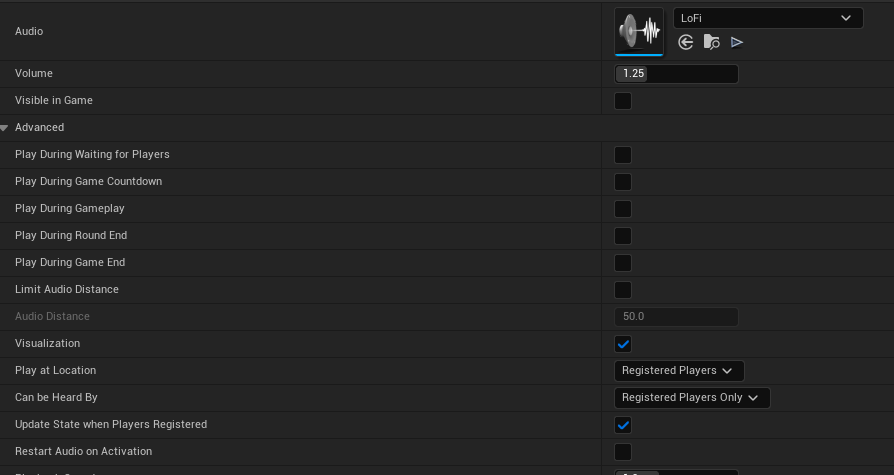
- Load all Radio Devices into the Radio Player Device
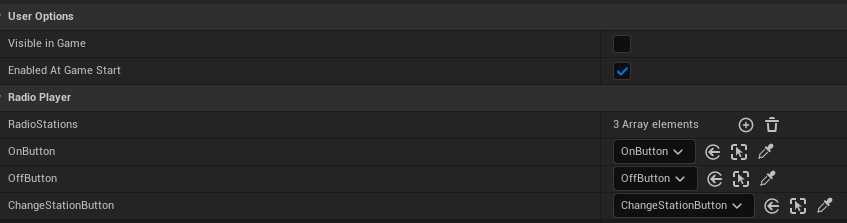
- Make 3 Buttons, label them: On, Off, Switch Station, and load them into the corresponding slots on the Radio Player Device. (You can adjust the interaction zone here as well)
- $ Profit $